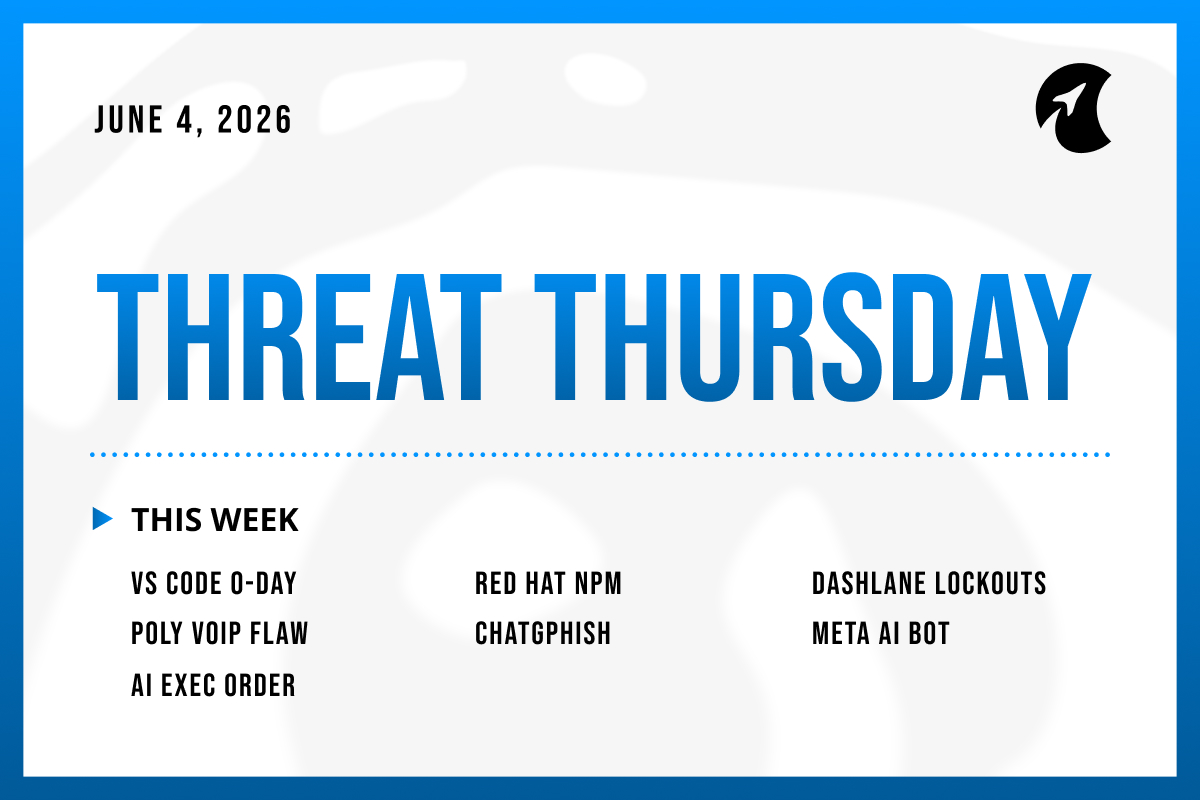
Welcome to Threat Thursday, Galactic's weekly threat intelligence roundup.
This week's stories have a clear pattern: attackers didn't find obscure entry points or novel techniques but instead went after the things you were already using and already trusting.
As always, each story breaks down what happened, what it means for your organization, and what to do about it.
This Week's Stories
1. VS Code Zero-Day Steals GitHub Tokens With One Click
On June 2, security researchers published a full proof-of-concept for an unpatched flaw in Visual Studio Code, the most widely used code editor in the world. Clicking a single link is enough for an attacker to walk away with a GitHub OAuth token that grants access to every repository the victim can reach. The attacker reads the token and exfiltrates it in under a minute, letting them into private repos and sensitive areas. The desktop version of VS Code is exposed too, but the desktop attack requires the victim to clone and open the attacker's repository first. The researcher disclosed publicly after a prior negative experience with Microsoft's Security Response Center, so no CVE has been assigned yet and no patch is out.
Potential impact: A stolen GitHub OAuth token is the keys to the workshop. It opens every private repo the developer can read, every CI/CD pipeline they can trigger, and every secret stored in those repos. From there an attacker can plant a backdoor in a trusted package and let the build system distribute it (see story 02). What raises the urgency above a normal browser-extension flaw is the one-click trigger: no install prompt, no warning dialog, no second decision point. The PoC is public, the bug is unpatched, and the target is the editor sitting open on most developer laptops right now.
What to do: Affected organizations should warn developers today not to open links to github.dev or untrusted .ipynb files in VS Code until Microsoft ships a fix. Rotate any GitHub OAuth tokens that may have been issued while browsing untrusted content since June 2. Tighten the scopes on personal access tokens and switch repositories to fine-grained tokens where possible. Watch the GitHub audit log for clones from unfamiliar IP addresses while waiting on the patch.
Source: BleepingComputer
2. Attackers Hijacked Red Hat's npm Scope and Pushed Credential-Stealing Packages
On June 1, attackers slipped malicious code into Red Hat's official software library, one of the repositories developers routinely pull from when building applications. In a 72-second window, they pushed 32 compromised versions of Red Hat's own tools into the library. Any developer who installed one of those tools during that window had credential-stealing malware run automatically on their machine, before their own code ever started. Red Hat has since removed the compromised versions and is investigating whether any of its own systems were affected. The company says no customer action is required as of the bulletin, but the investigation is ongoing. The key detail worth understanding: this wasn't a fake or suspicious package from an unknown source. It came from Red Hat's verified, trusted namespace. A developer doing the right thing and pulling from the official publisher was the path in.
Potential impact: What makes this incident worth paying attention to is where the attack came from. Earlier supply chain attacks targeted obscure or abandoned software that developers shouldn't have been using in the first place. This one hit Red Hat's own verified, official library. A developer following best practices and pulling from a trusted source was the path in. The malware's goal was credentials, the kind that control access to cloud infrastructure, code repositories, and internal systems. Once those are stolen, the damage doesn't stop at the developer's machine. It reaches everywhere those credentials were already trusted.
What to do: If your organization has developers who pulled anything from Red Hat's library between June 1 and June 2, treat those machines and the credentials on them as potentially compromised. Rotate cloud provider keys, code repository access tokens, and any other credentials that were active on those machines during that window. Check whether any automated build or deployment processes ran unexpectedly in the days after. The library was cleaned up within hours of the issue being discovered, but anything installed before that point is the question worth investigating.
Source: Cyber Security News
3. Dashlane Password Manager Locks Out Users After a Brute-Force Wave Against 2FA
Starting Sunday, May 31, an attacker ran a brute-force campaign against Dashlane user accounts — meaning automated tools were used to guess the short verification code Dashlane sends when a new device tries to connect to an existing account, cycling through thousands of combinations until something worked. The volume was high enough that Dashlane's systems locked out the targeted accounts automatically. Fewer than 20 encrypted vaults were downloaded before the lockouts kicked in, and Dashlane confirmed no breach of its own systems. Vault data is protected by the user's master password, and cracking a well-chosen one is not a realistic path for the attacker. Access has since been restored, though some customers reported delays reaching support.
Potential impact: Two things in this story matter beyond Dashlane. First, password managers have moved from sensible best practice to a high-value target, and this campaign is one more data point that they are now hunted directly. Second, the defense that held the line was the master password. Anyone running a password manager should treat it like the most important password they own: long, unique, and never reused anywhere else. The customer-experience footnote matters too. The wave of lockouts created enough confusion that an attacker running a follow-on phishing campaign impersonating Dashlane support would have had an easier time than usual.
What to do: Affected Dashlane users should confirm their account is back online and that any new devices on the account were registered by them. Users who reused their master password anywhere else should change both the reused location and the master password itself. Turn on a hardware-key or authenticator-app second factor in place of SMS where possible. The wider lesson holds for any password manager: master password length matters more than rotation cadence.
Source: BleepingComputer
4. HP Poly Desk Phones Carry a Critical Flaw That Hands Over the Device
HP fixed a critical flaw in its Poly desk phones in late May. The bug, tracked as CVE-2026-0826 with a severity score of 9.2 out of 10, lets an attacker take full control of an affected phone by sending a single malicious call-setup message. No login or user interaction required. Affected models span HP's popular Poly VVX desk-phone series (VVX 150 through 450) and three Trio conference-room phones (Trio 8300, 8500, and 8800). The fix is in Poly Unified Communications Software 6.4.8 for the VVX line, 8.1.7 for the Trio 8300, and 7.2.8 for the Trio 8500 and 8800. A working exploit is already available in Metasploit, a framework that makes exploiting vulnerabilities straightforward for any reasonably equipped attacker, which means the barrier to using it today is low.
Potential impact: Desk phones are forgotten endpoints. They run no endpoint protection, get patched on a different cadence than laptops or servers (if they get patched at all), and sit on the network with reach to the same systems everything else can talk to. A compromised desk phone makes a useful foothold to the rest of the network and, in newer attack patterns, a convincing platform for voice deepfakes: an attacker who controls the phone can intercept or impersonate calls. The exploit being public in Metasploit removes the "too obscure to matter" excuse for delaying the patch.
What to do: Affected organizations should inventory Poly VVX and Trio phones and confirm they're on a fixed UCS version. If patching takes time, disable the Interactive Connectivity Establishment feature on affected models, which removes the attack path. Segment voice equipment off the main user network so a compromised phone can't pivot. Review SIP call logs for unusual call-setup traffic during the period before the patch was applied.
Source: Security Affairs
5. ChatGPT's Page Summarizer Can Be Turned Into a Phishing Delivery Surface
Security researchers at Permiso disclosed a technique on May 29 they call ChatGPhish. The flaw sits in ChatGPT's page-summarization feature, which lets a user paste a URL and get a quick read-back of the page. By planting hidden instructions on any publicly accessible web page, an attacker can shape what ChatGPT shows the user when the summary renders, with no visual flag distinguishing attacker-planted content from the assistant's own output. Permiso demonstrated four variations: clickable attacker links, fake account-security alerts styled like ChatGPT notifications, QR codes that sidestep standard URL defenses because the destination only resolves on the phone that scans it, and tracking beacons that leak the user's IP address when the summary loads. This flaw is still unpatched.
Potential impact: Users have spent twenty years learning to inspect URLs in emails and hover over links before clicking. ChatGPhish puts the same attacker-shaped content inside an interface that does not look like email and does not show the underlying page it pulled from. Hover previews, browser blocklists, password manager domain checks, and standard awareness training all assume the user is reading content rendered by the browser, not by an AI assistant on the user's behalf. The QR-code payload is the cleanest version of the problem: the assistant draws a QR, the user scans it on a phone, and no desktop control gets the chance to inspect the destination. Web content is the input the AI consumes, and that input is now actively poisoned.
What to do: Affected organizations should tell their teams that links, alerts, and QR codes inside an AI assistant's response are not necessarily generated by the assistant. Disable browser-summarization features on AI assistants where the workflow does not require them, particularly for roles touching identity, finance, or customer data. Train users to verify any "account security" message in an AI summary by opening the affected service directly, never by following an in-chat link. Where AI summarization is part of the daily workflow, monitor outbound requests from AI surfaces to URL shorteners and unknown image hosts.
Source: Cyber Security News
6. Hackers Talked Meta's Own AI Bot Into Handing Over Instagram Accounts
Over the weekend of May 30 to 31, attackers compromised a string of high-value Instagram accounts by holding a chat with Meta's own AI-powered support bot. The chain required no phishing link, no malware, and no access to the victim's email. The attacker used a VPN to appear in the target's approximate location, opened a chat with the Meta AI Support Assistant, and asked the bot to add a new email address to the account. The bot then sent a verification code to the attacker's own email. The attacker read it back to the bot, which then offered a password-reset option that the attacker accepted. Reported victims include the Obama-era White House handle and U.S. Space Force Chief Master Sergeant John Bentivegna's account. Meta patched the flaw late Friday. The accounts that survived the campaign were the ones with two-factor authentication turned on.
Potential impact: The story here goes deeper than the AI bot itself. The real issue is the design choice behind it. Meta wired an AI assistant into the password-reset path and assumed the assistant could verify the requester's identity. The assistant could not. Every organization that has put a generative AI bot in front of any identity-sensitive workflow (password resets, account recovery, refund approvals, internal access requests) is now running the same experiment Meta just failed in public. The defensive question is no longer whether AI helps users; it is what an AI agent is authorized to do on a user's behalf, and whether the authorization check holds when the AI is the one being talked to. Two-factor authentication held the line here, which is consistent with how it has held the line on almost every account-recovery social-engineering campaign of the past year.
What to do: Affected organizations should turn on two-factor authentication on every social media and SaaS account that supports it, using an authenticator app or a hardware key rather than SMS. Anyone running an AI agent in front of a customer-facing workflow should audit which actions the agent can take and what identity verification protects each one. Treat "the AI sent the code to the attacker's email and they read it back" as a baseline test case the agent must fail.
Source: HackRead
7. Worth Watching: A New Executive Order Sets Up Federal Vetting of Top AI Models
President Trump signed an executive order on June 2 establishing a federal framework to vet the national-security risks of advanced AI models before their public release. Participation is voluntary, and the review window is up to 30 days. The order directs federal agencies to develop benchmarks for assessing the cyber capabilities of new AI models and to stand up an "AI cybersecurity clearinghouse" to share information on vulnerabilities. This is the policy answer beginning to form to the reality already covered in this roundup: AI is now woven into the software supply chain at the developer side (story 02), the user-facing side (story 06), and the threat-research side.
Potential impact: Two practical implications for an organization that does not build AI models. First, the review framework codifies what most enterprise buyers were already asking AI vendors during procurement: what testing did you do on this model's cyber capabilities before you shipped it? That question is about to get a federal benchmark behind it, and vendor answers will start to standardize. Second, the order is voluntary. Models from companies that decline to participate are not blocked from release. Procurement teams should be ready to ask vendors directly whether their models went through the federal review and what the result was. The companion development worth tracking is the cybersecurity clearinghouse: shared vulnerability disclosure for AI models is where the practical defender value will eventually sit.
What to do: Organizations that use AI should add two questions to their next AI vendor review: did the model go through federal national-security vetting, and what was the outcome? Adjust AI vendor contracts to require disclosure of any cyber-capability evaluations the vendor has conducted or participated in. Track the AI cybersecurity clearinghouse once it stands up, as the source for vulnerability information on the models you use.
Source: Security Week
The Through-Line
Every story this week sits somewhere along the software supply chain, and the chain has stopped being a back-office concern. The developer side took the most direct hit: a one-click VS Code attack that walks off with the developer's GitHub access, and a hostile takeover of Red Hat's official npm namespace that swept cloud credentials from anyone who installed. The user side took the rest. A password manager built to lock the front door faced a brute-force wave on its second factor. A desk phone that no one watches turned into a foothold with a public exploit already in Metasploit. And the AI layer showed up twice: ChatGPT's summarizer treated whatever was on the page as trusted instructions and rendered attacker-shaped phishing inside the assistant's own UI, and Meta's AI support bot reset Instagram passwords for whoever asked.
The new executive order is the policy response forming around all of this. Voluntary federal vetting of frontier AI models will eventually shape what supply chains look like at the top of the stack. For now, the practical move is to assume every layer of the supply chain, from the desk phone to the AI agent reading your team's web pages, is part of the attack surface and needs to be defended like one.
Make sure to check back here each week for another Threat Thursday update. See you then!